Colorize black and white photos, naturally
Genizes adds believable color to old black and white photos, the way the day probably looked, and repairs scratches and fading at the same time.
Start with one old photo
Drag a photo or scan here
JPEG, PNG, WebP or HEIC
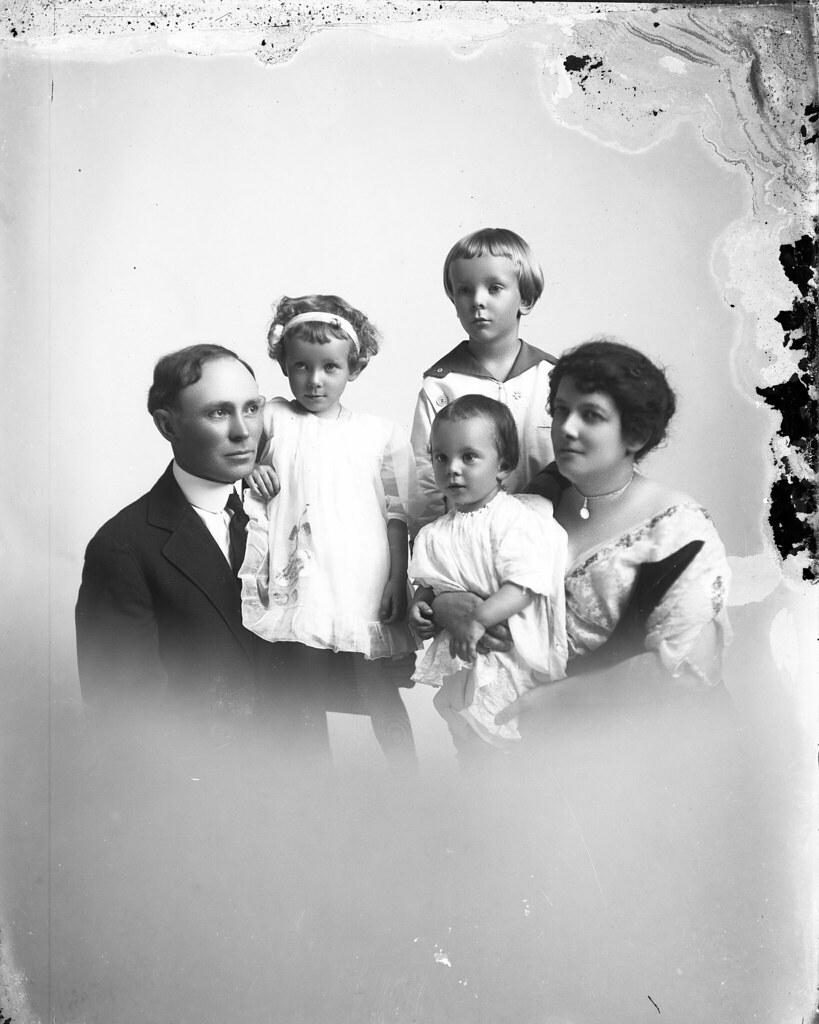
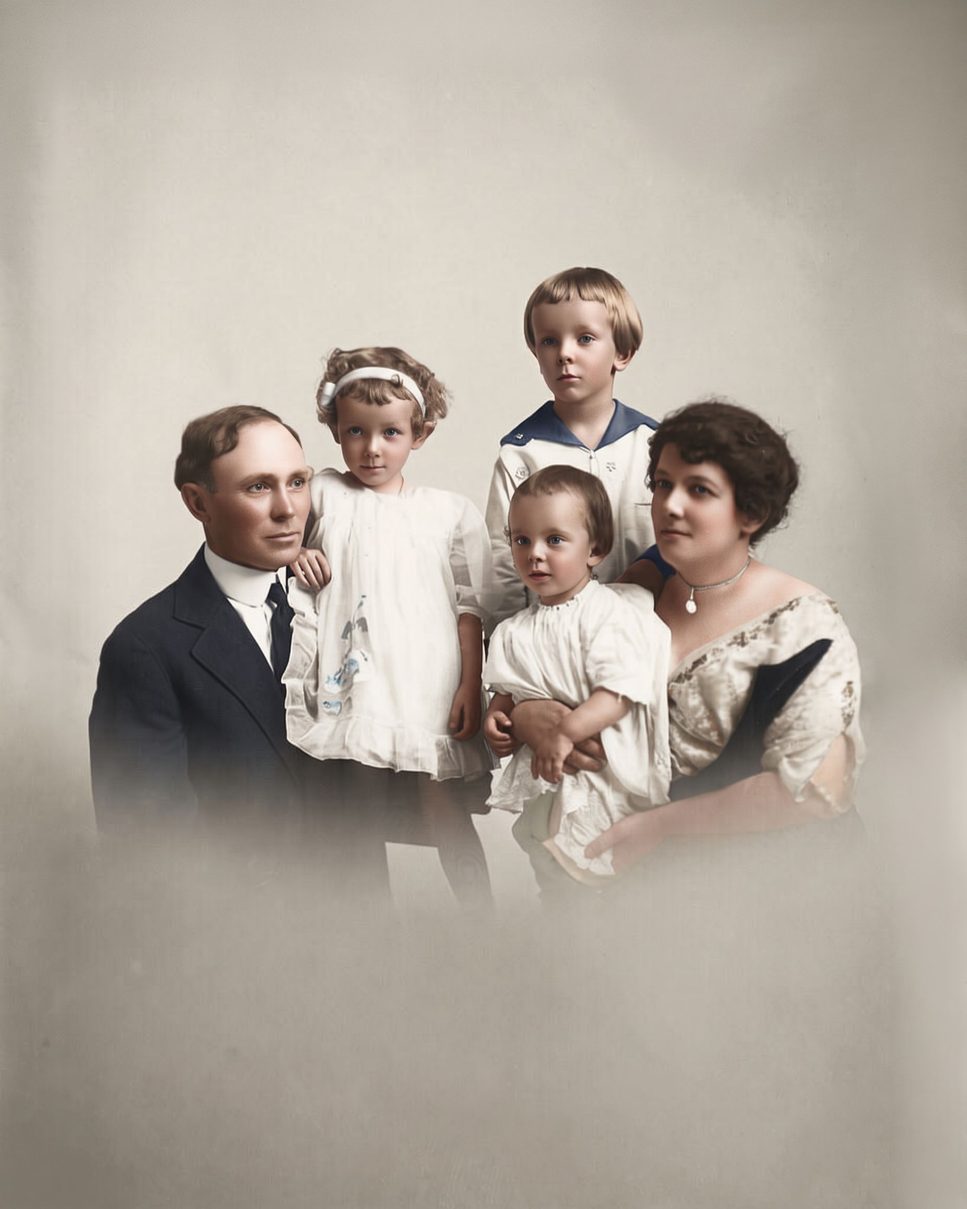
Color that fits the era
Skin tones, fabrics, wood, grass and sky get colors that suit the period of the photo, not the bright filters of a phone app. The family portrait above is from a glass plate taken in the 1910s.
Nobody can know the real color of a dress from a black and white print, so colorized photos are an informed guess. They are made to look natural, not to be a historical record.
Prefer black and white?
Turn off “Add color” before restoring and Genizes repairs the photo but keeps it black and white, with a clean tonal range.
Yellowed color prints too
Color photos from the 1960s to the 1990s often fade to orange or magenta. Genizes brings them back to neutral, natural color.
How it works
Take a picture of the print
Use your phone's camera or upload a scan. Lay the photo flat, avoid glare, and fill the frame.
We repair it
AI removes damage, sharpens faces and adds color. You see a free preview in about half a minute.
Keep it or bring it to life
Download the full-size photo, or turn it into a short clip with gentle, natural movement.
Questions
Is colorizing free?
The preview is free. A credit unlocks the full-size photo; packs start at $3.99.
Can I choose the colors?
Not yet. Genizes picks natural colors for the era. If a color looks wrong, use the free second try.
Does it work on faded color photos?
Yes. Faded and yellowed color prints are corrected back to natural color.
Pay once. Keep forever.
One photo
$3.99
$3.99 per photo
- 1 full-size photo
- 1 animation
Starter
$9.99
$2.00 per photo
- 5 full-size photos
- 2 animations
- Best for families
Family
$29.99
$1.20 per photo
- 25 full-size photos
- 5 animations
Archive
$79.99
$0.80 per photo
- 100 full-size photos
- 15 animations