Restore faded color photos
Color prints from the 1960s, 70s and 80s often fade to orange, pink or a pale wash. Genizes brings back natural color and contrast from a phone picture of the print. The preview is free.
Start with one old photo
Drag a photo or scan here
JPEG, PNG, WebP or HEIC
Why old color prints change
The dyes in color prints of that era fade at different speeds. Blue and cyan often go first, which leaves the picture orange, red or pink. Sunlight, heat and damp make it worse, and some prints just look flat and washed out.
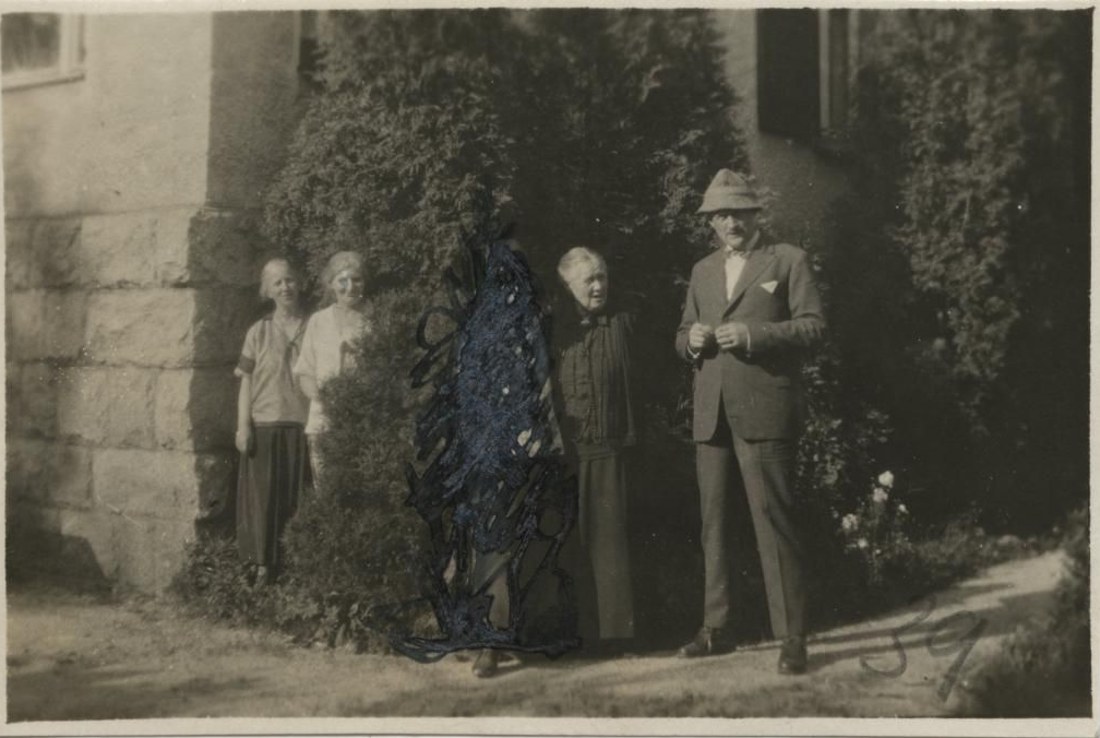
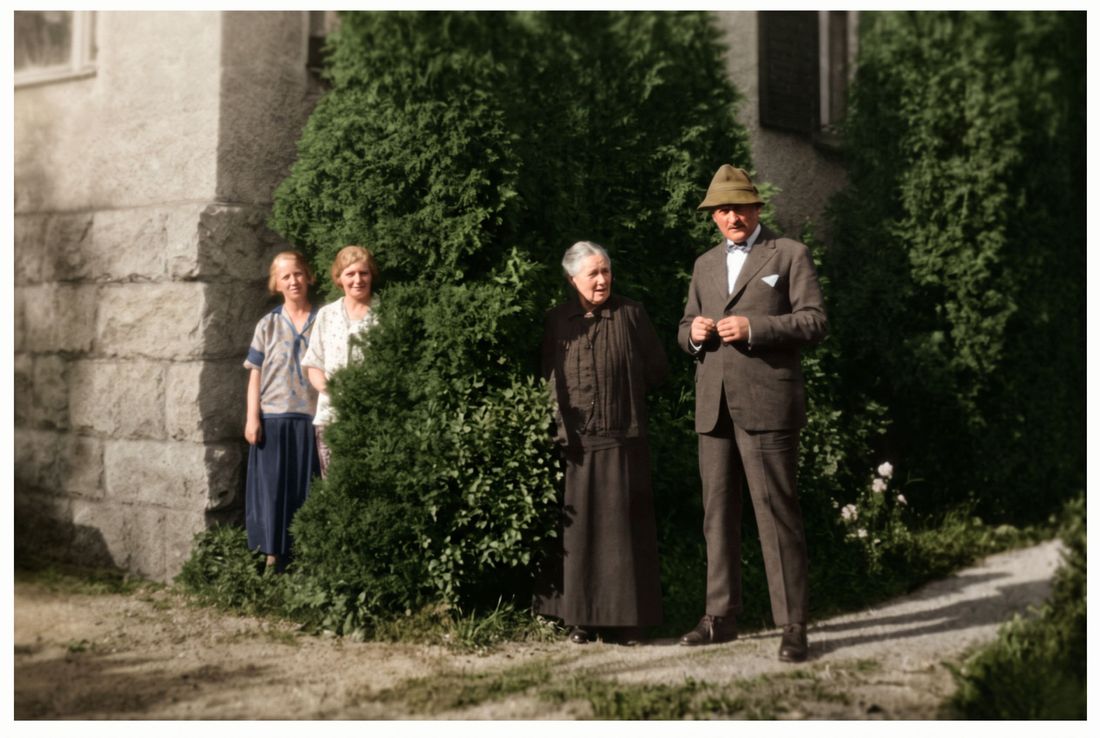
Genizes corrects the color cast and restores contrast, so skin, sky and grass look natural again. The 1920s photo above was faded and scribbled on; the restored version brings back the detail the fading had hidden.
Natural color, not a filter
The aim is the way the scene probably looked, not bright, modern colors. Where the fading has wiped out detail, the AI fills it in, and every result carries a note saying so.
Like the look as it is?
Some people love the warm tone of a 1970s print. You can keep the faded original exactly as it is: it is never changed, and the restored version is a new copy next to it.
How it works
Take a picture of the print
Use your phone's camera or upload a scan. Lay the photo flat, avoid glare, and fill the frame.
We repair it
AI removes damage, sharpens faces and adds color. You see a free preview in about half a minute.
Keep it or bring it to life
Download the full-size photo, or turn it into a short clip with gentle, natural movement.
Questions
Will the colors be exactly right?
They will look natural, but nobody can know for sure how faded colors looked. If a color seems off, use the free second try.
Does it work on black and white photos?
Yes. Genizes can also add natural color to black and white photos, or repair them and keep them black and white.
How should I photograph a glossy print?
Use daylight from a window, turn off the flash and tilt the phone slightly until the glare disappears.
What does it cost?
The preview is free and needs no account. Credits start at $3.99, which includes one animation. You pay once; there is no subscription.
Pay once. Keep forever.
One photo
$3.99
- 1 full-size photo
- 1 animation
Starter
$9.99
- 5 full-size photos
- 2 animations
- Best for families
Family
$29.99
- 25 full-size photos
- 5 animations
Archive
$79.99
- 100 full-size photos
- 15 animations