Restore water-damaged photos
A flooded basement or a leaky attic can leave family photos stained, warped or spotted. Genizes repairs the damage from a simple phone picture of the print. The preview is free.
Start with one old photo
Drag a photo or scan here
JPEG, PNG, WebP or HEIC
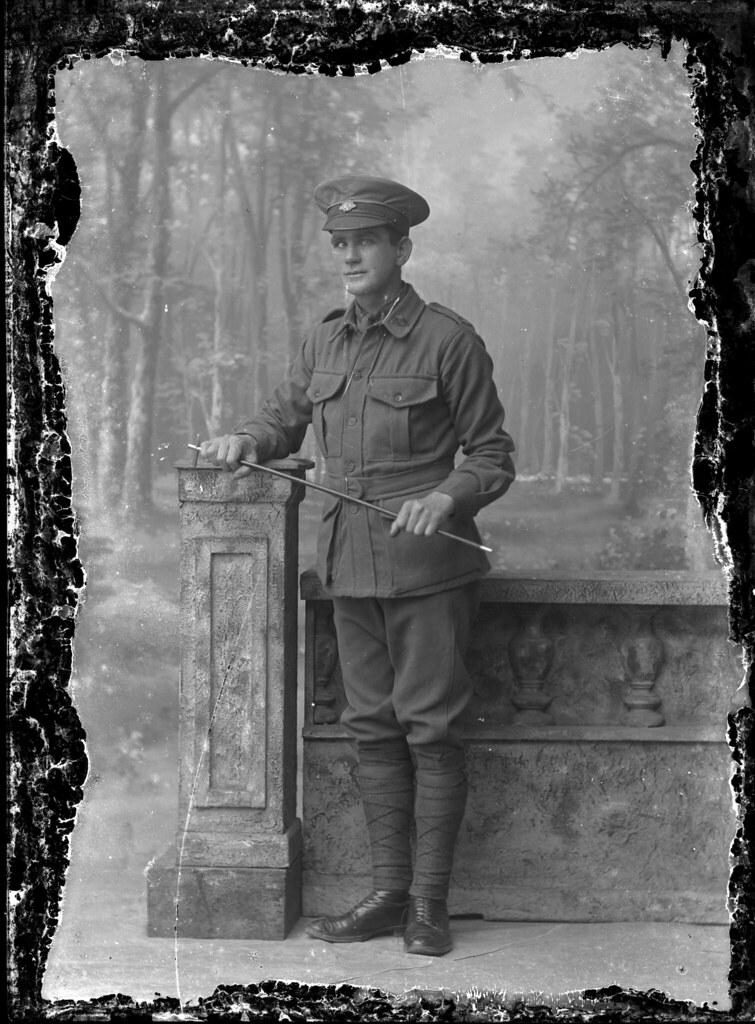
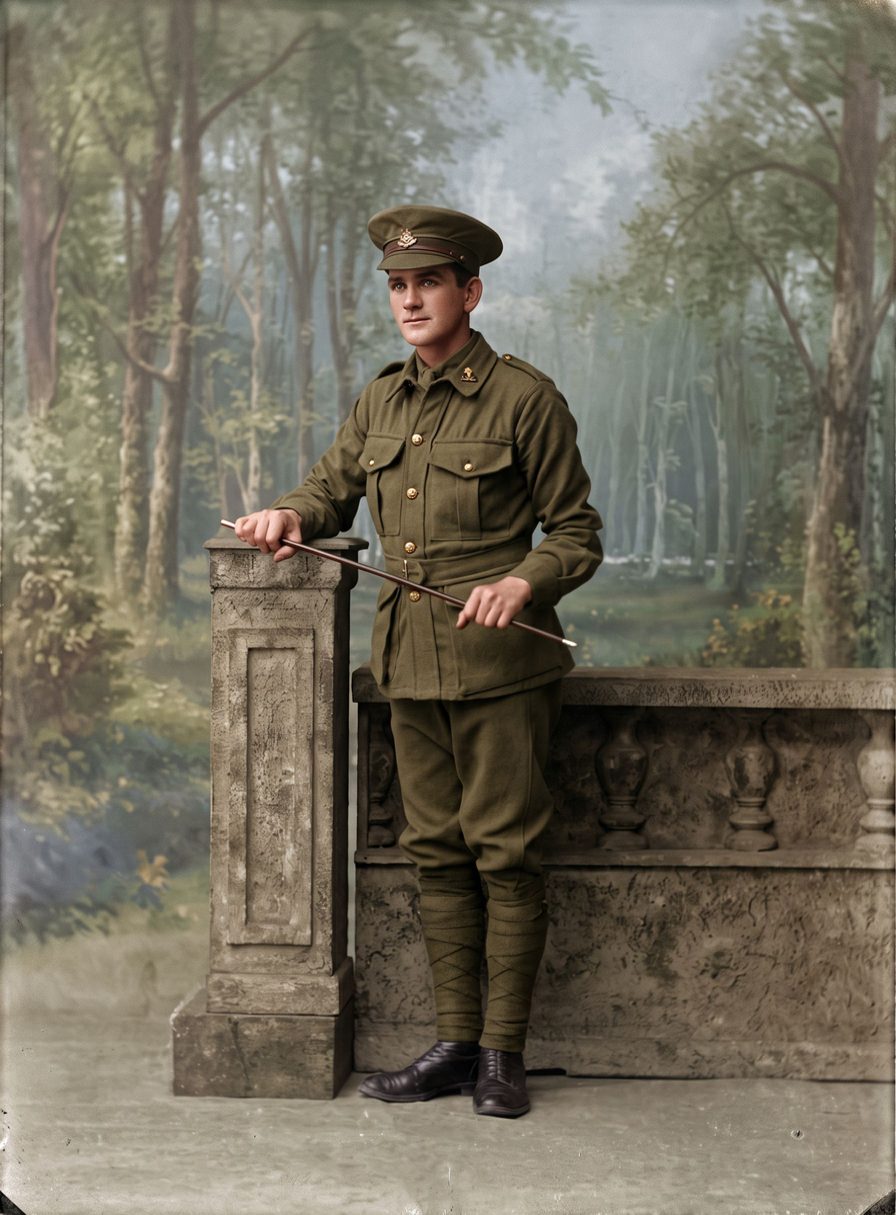
Damage from water and damp
Water stains and tide marks, brown or white spots from mold, warped and rippled paper, lifted or missing patches of the image, and marks left where prints were stuck together. The 1915 portrait above had damaged edges; the restored version is whole again.
Where part of the picture has washed away, the AI rebuilds it so the photo looks complete. That part is a reconstruction, not a recovered detail, and every result carries a note saying so.
Photographing a damaged print
Let a wet print dry flat on a clean towel first; don't use a hair dryer. If prints are stuck together, don't pull them apart by force: you can photograph them as they are, or ask a photo conservator for advice.
Lay the print as flat as you can near a window, turn off the flash and tilt the phone slightly if a warped area shines. If the frame or border is stained too, choose “Remove the frame or border” before restoring.
Where AI has limits
If a stain covers most of a face, the AI rebuilds it from what remains. It will look natural but may not be exactly the person. Every photo includes one free second try, and the original stays your reference.
How it works
Take a picture of the print
Use your phone's camera or upload a scan. Lay the photo flat, avoid glare, and fill the frame.
We repair it
AI removes damage, sharpens faces and adds color. You see a free preview in about half a minute.
Keep it or bring it to life
Download the full-size photo, or turn it into a short clip with gentle, natural movement.
Questions
Can mold spots be removed?
Yes, spots and stains on the picture are repaired. The print itself is not cleaned, so store it somewhere dry.
What if part of the photo is gone?
Missing areas are filled in to match the rest. Backgrounds work very well; faces are harder and are the AI's best guess.
Do I need to send the photo anywhere?
No. You take a picture at home, and your photos stay private: we never use them to train AI or in our marketing.
How much does it cost?
The preview is free and needs no account. Credits start at $3.99, which includes one full-size photo and one animation.
Pay once. Keep forever.
One photo
$3.99
- 1 full-size photo
- 1 animation
Starter
$9.99
- 5 full-size photos
- 2 animations
- Best for families
Family
$29.99
- 25 full-size photos
- 5 animations
Archive
$79.99
- 100 full-size photos
- 15 animations