Fix yellowed old photos without Photoshop
Start with one old photo
Drag a photo or scan here
JPEG, PNG, WebP or HEIC
Your original is never changed. Free previews are deleted after 30 days. We never use your photos to train AI.
Take a picture of the yellowed print with your phone. In about 30 seconds Genizes removes the yellow and brown cast, brings back the contrast and repairs spots and scratches. Keep it in clean black and white, or add natural color. Your first preview is free.
Why old photos turn yellow
Old prints yellow with age, light and humidity: the paper and the layers that hold the image discolor, and the dark parts of the picture fade. Many old prints were also toned brown (sepia) on purpose, so not every warm tone is damage.
The yellowing on the print itself can't be reversed, but it doesn't have to be on the copy you keep and share.
No software to learn
Most guides for yellowed photos are Photoshop tutorials: color channels, levels, black and white points. Genizes does that work for you. You take a picture, look at the preview, and decide.
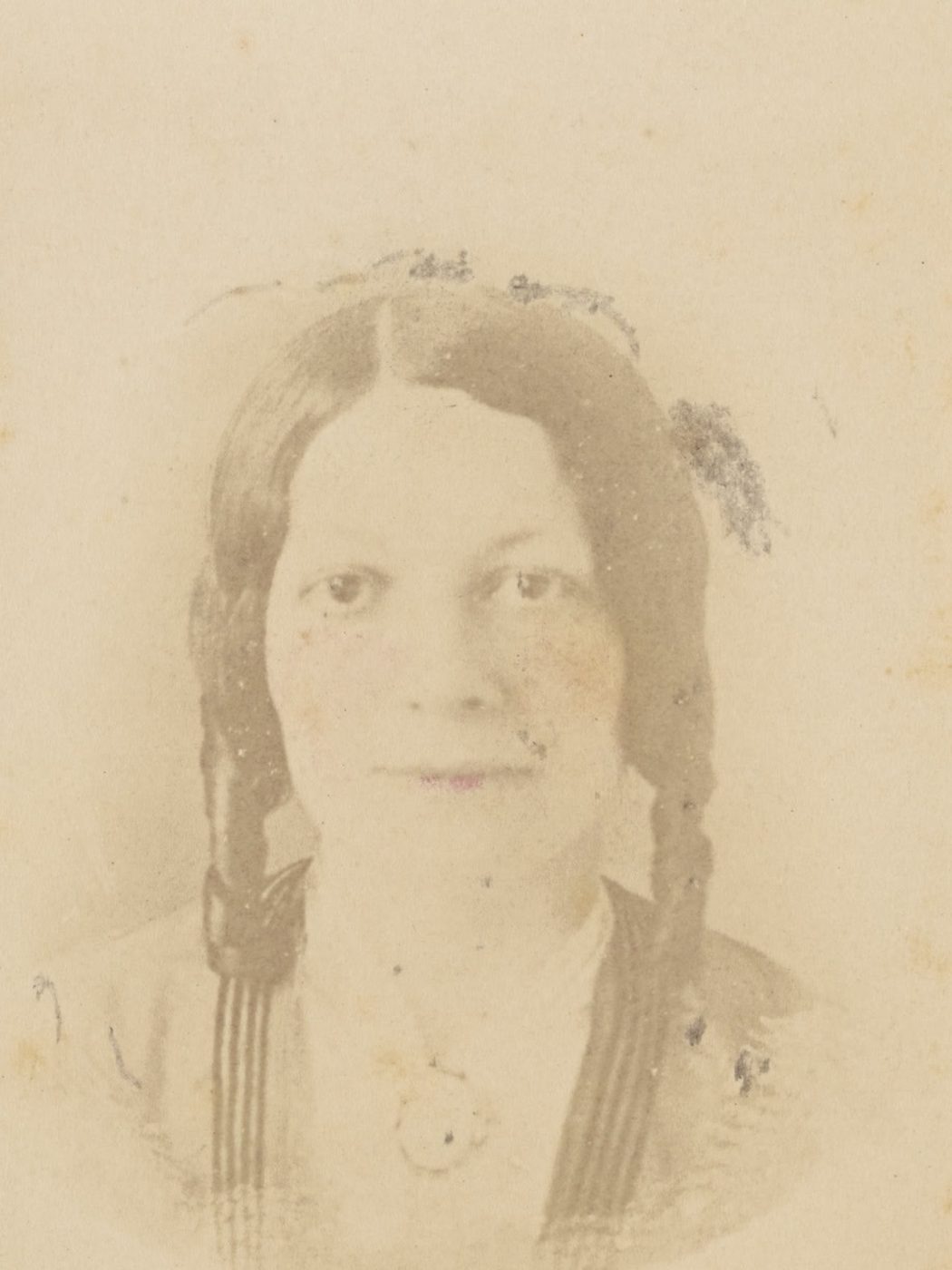
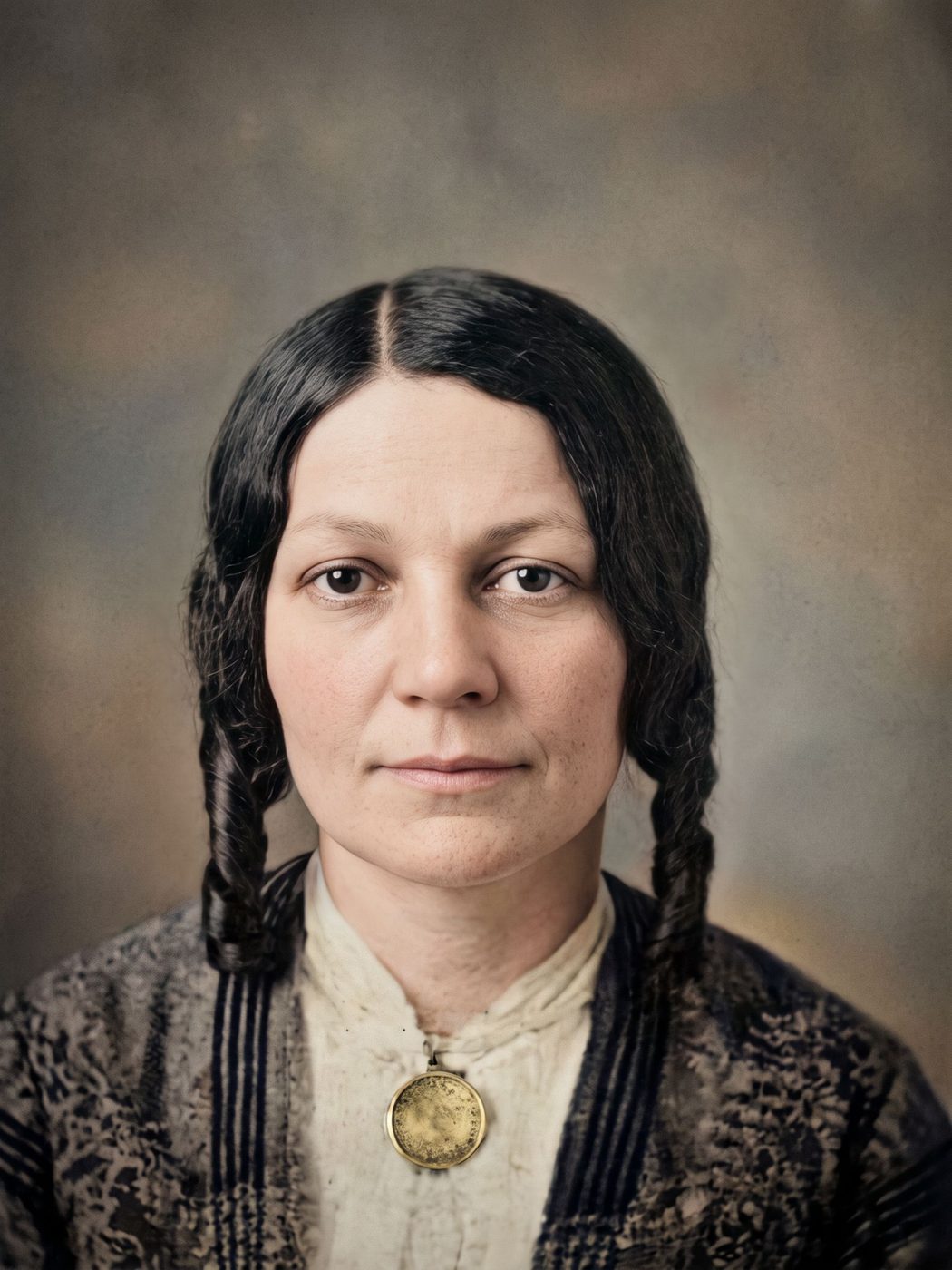
The photo above is a carte de visite of Mrs. Chester Kellogg from about 1870, faded almost to white. The restored version brings back her face, her hair and the detail of her dress.
Photograph it well
Use soft daylight near a window, without flash, and hold the phone straight above the print so the photo fills the screen. Don't worry about the yellow: the restoration removes it. A scan works too.
How it works
Take a picture of the print
Use your phone's camera or upload a scan. Lay the photo flat, avoid glare, and fill the frame.
We repair it
AI removes damage, sharpens faces and adds color. You see a free preview in about half a minute.
Keep it, print it or bring it to life
Download the full-size photo, order it printed and framed, on Christmas cards or on a glass ornament, or turn it into a short clip.
Questions
Will the result stay black and white?
Your choice. You can keep it in clean black and white, or add natural color.
Can it fix very faded photos?
Usually, yes, as long as some of the image still shows. Where detail is completely gone, the AI rebuilds it, and the result says so.
Does it change the original print?
No. Genizes works from a picture of it. The print stays as it is.
How much does it cost?
Your first preview is free. One full-size photo costs US$3.99 (paid once), and five cost US$9.99. You can also order it framed, on Christmas cards or on a glass ornament.
Pay once. Keep forever.
One photo
Launch offer: 20% off$3.19
First purchase only · until November 30$3.99- 1 full-size photo
- 1 animation
- Best value
Starter
Launch offer: 20% off$7.99
First purchase only · until November 30$9.99- 5 full-size photos
- 2 animations
Printed gift
From $19.00
Free delivery to the US and Canada · taxes included
- Framed print, Christmas cards or glass ornament
- Includes the full-size photo
- Delivered to you or to them